Humidity, your way.
Choose fixed Timer periods or Adaptive pulses guided by humidity readings.
A growing space. A local connection.
Monitor temperature and humidity. Follow your growing cycle. Manage humidification, ventilation, heating and lighting from one local interface.
Runs on your controller. Opens in your browser. Screenshots show an earlier interface.
 Open full screenshot ↗
A closer look
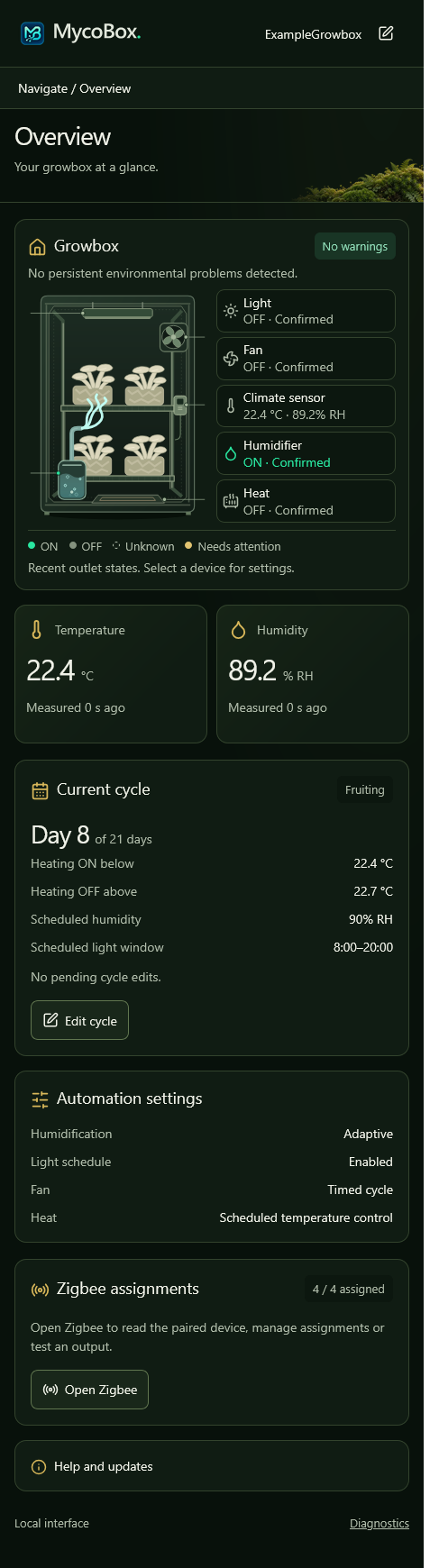
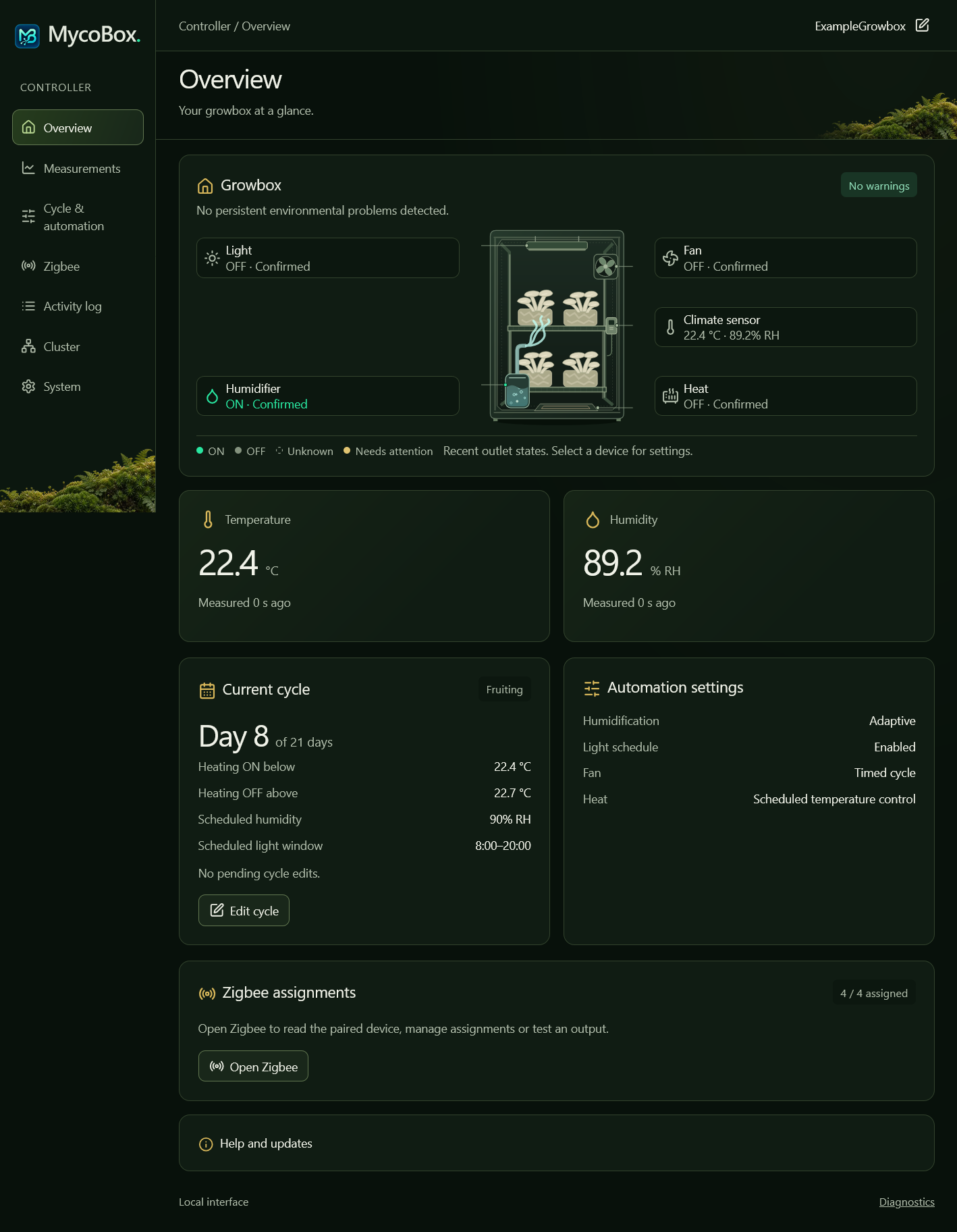
See current conditions and local warnings in Overview, then open the panel for the task at hand.
Choose a view. Select any screenshot to enlarge it. Screenshots show an earlier interface; the guides describe the current controls.
 Enlarge screenshot ↗
Compare Chamber and optional Ambient readings, with up to 72 hours of history. Chamber readings guide automation.
 Enlarge screenshot ↗
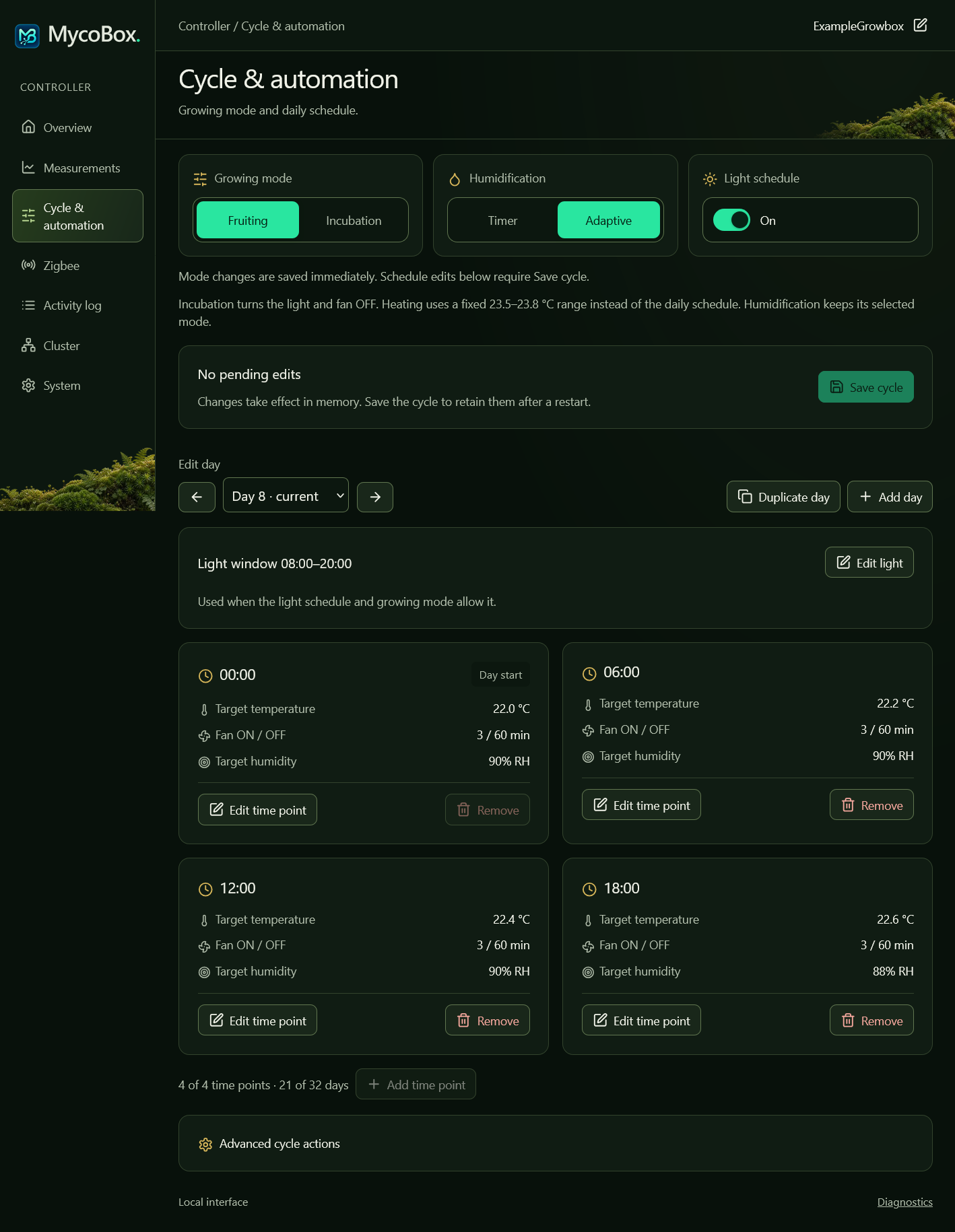
Edit the daily profile as your growing routine changes.
 Enlarge screenshot ↗
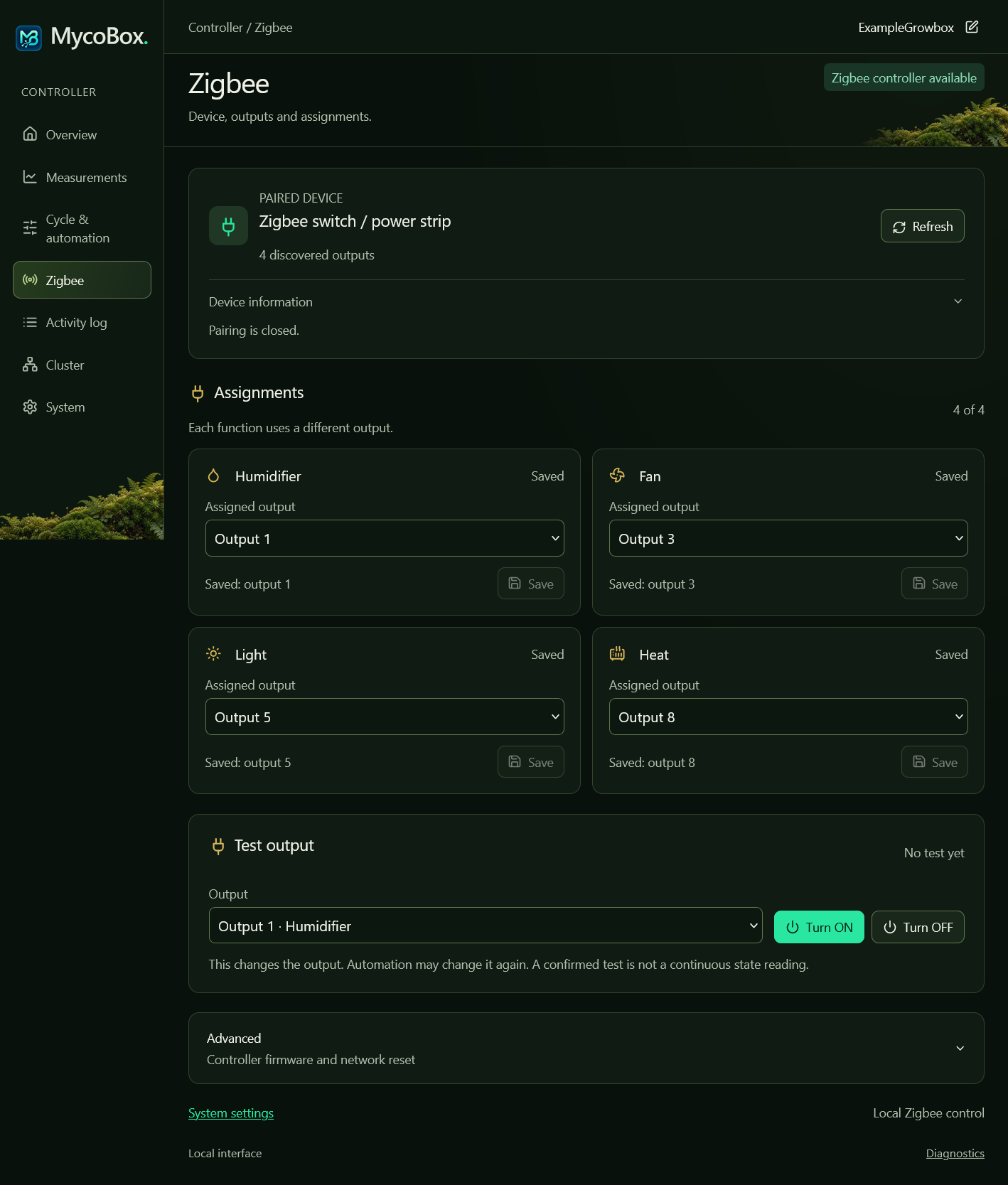
Assign outputs on different sockets or strips, and remove a device while keeping the others paired.
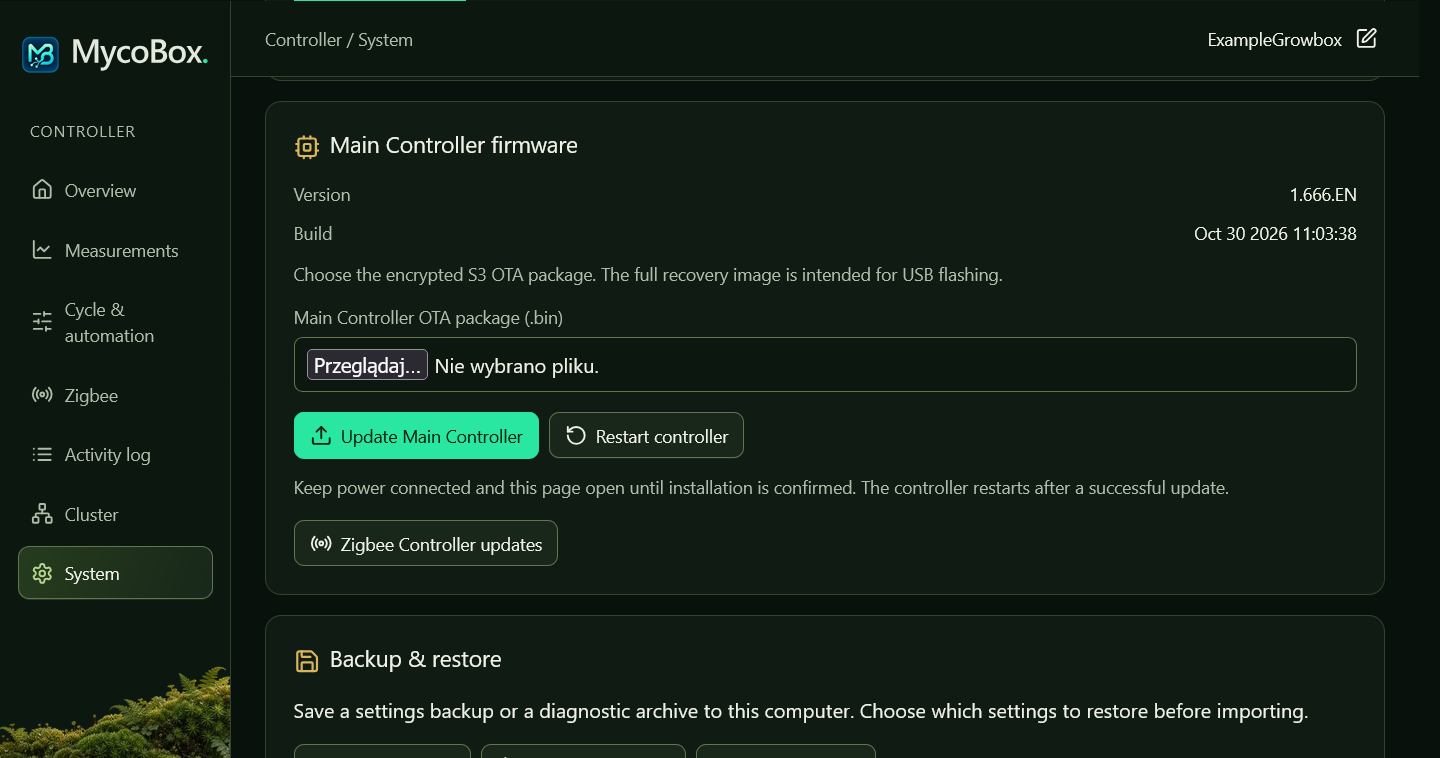 Enlarge screenshot ↗
Use System for Main Controller updates and Zigbee for Zigbee Controller updates.
Make room for the cycle
Set the timing and targets for each function. The cycle guide explains modes, limits and saving.
Choose fixed Timer periods or Adaptive pulses guided by humidity readings.
Set repeating ON and OFF periods for ventilation.
Control heating around the active temperature target.
Choose the daily window for lighting.
Use your schedule or choose On or Off separately for Light, Fan and Humidifier. Incubation pauses their scheduled operation while heating stays automatic.
Explore cycle settingsClose to your growing space
The interface and automation run on MycoBox. Connect through your local Wi-Fi network or its access point, without a cloud account or a permanently connected computer.
An initialized RTC keeps time without internet; NTP synchronization is optional. See the hardware guide.
Copy modes or a cycle to other MycoBox controllers. Review the scope and recipients in the controller group guide.
Export settings or restore selected sections.
Keep the details within reach
First connection and initial setup.
Screens, readings and cycle editing.
Hardware and switching devices.
Pairing, assignments and output tests.
Choosing files and installing updates.
Connection, sensor and control problems.
Export settings, download diagnostics and restore selected sections.
Firmware releases
Use the release notes and firmware guide to choose the files, check the update order and understand which settings are retained.